
8 min readBy Sourabh Shukla, Founder
Why Cursor needs project context
Cursor is strong at local code — but it does not know why you chose PostgreSQL over DynamoDB, which epic owns auth, or what "done" means for a task. Without that context, you get plausible generic answers that drift from your plan.
What FLOWiGANTT project assets are
Project assets are the connected outputs of your planning workflow — not a pile of unrelated exports. Evaluation reasoning, feature scope, architecture with tradeoffs, PRD, and engineering tasks all share the same upstream context.
- Idea evaluation — market fit, risks, and clarifying Q&A
- Features — scoped capabilities tied to the evaluation
- Architecture — components, data model, APIs, and why each choice was made
- PRD — personas, acceptance criteria, success metrics
- Tasks — sprint-ready breakdown with AI acceleration estimates
Generate your plan in FLOWiGANTT
Start a greenfield project, walk through evaluation and approval gates, and finish with a delivery plan. The full flow is documented on our How it works page — typically under 30 minutes for a complete first pass.
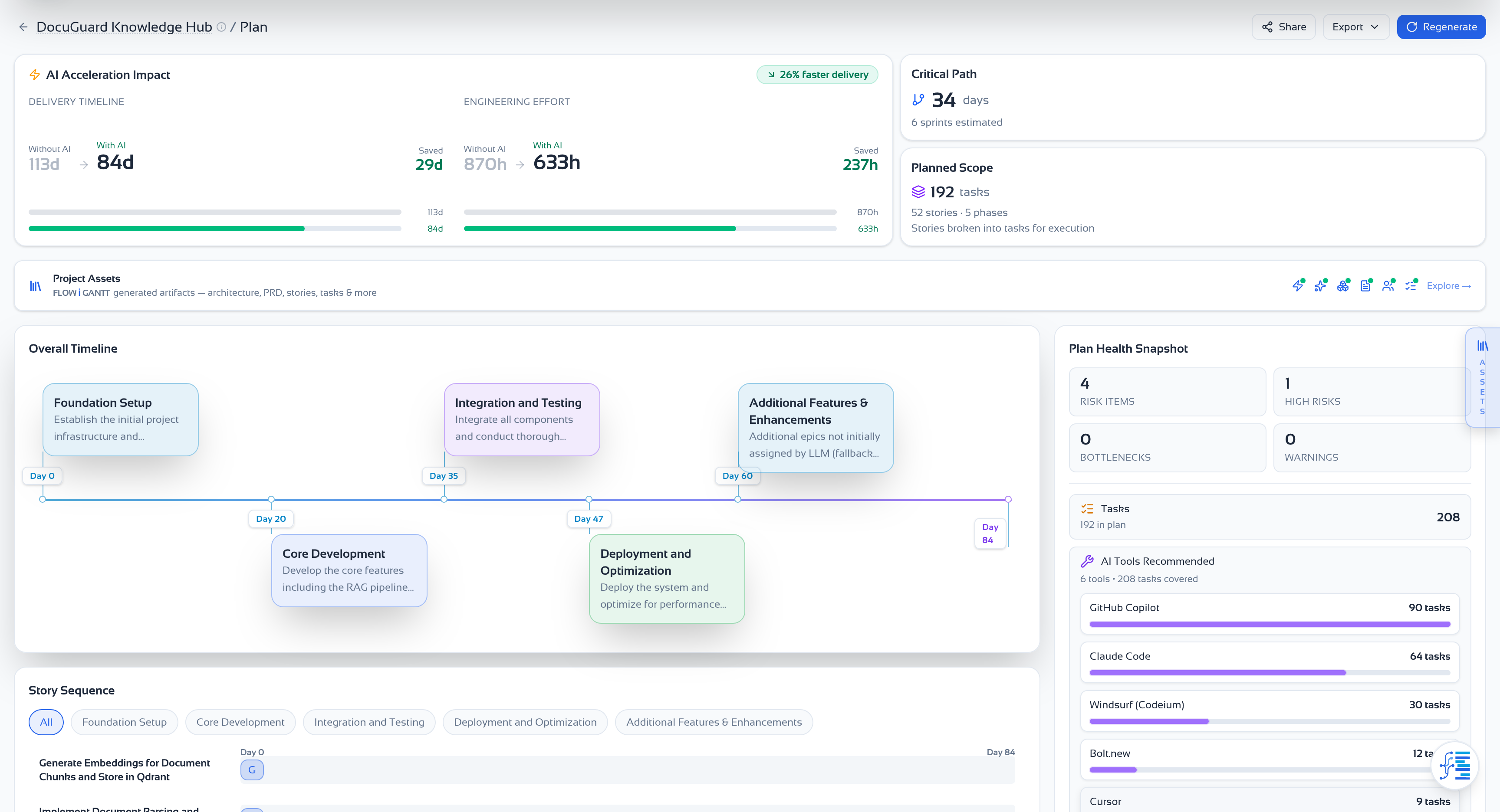
Download Markdown from Project assets
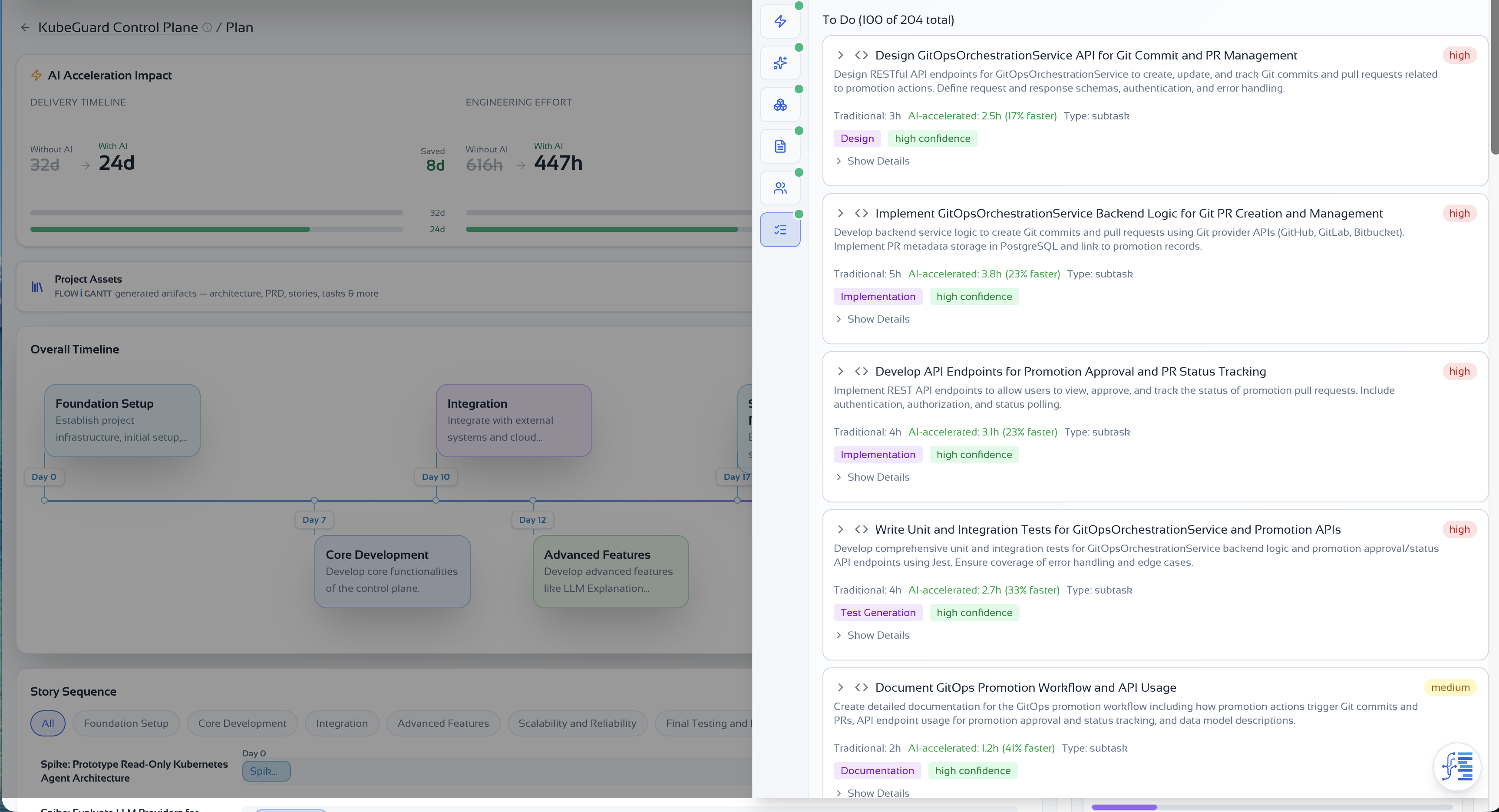
Open your project plan, then open the Project assets drawer (rail on desktop). Each section — Architecture, PRD, Tasks, and others — has a download action that exports clean Markdown via the same serializer used elsewhere in the app.
- Filenames follow the pattern: docs/architecture-{projectId}.md, docs/prd-{projectId}.md, docs/tasks-{projectId}.md (plus evaluation, features, stories)
- Download all sections you will @-reference; the full bundle keeps Cursor aligned with the approved plan
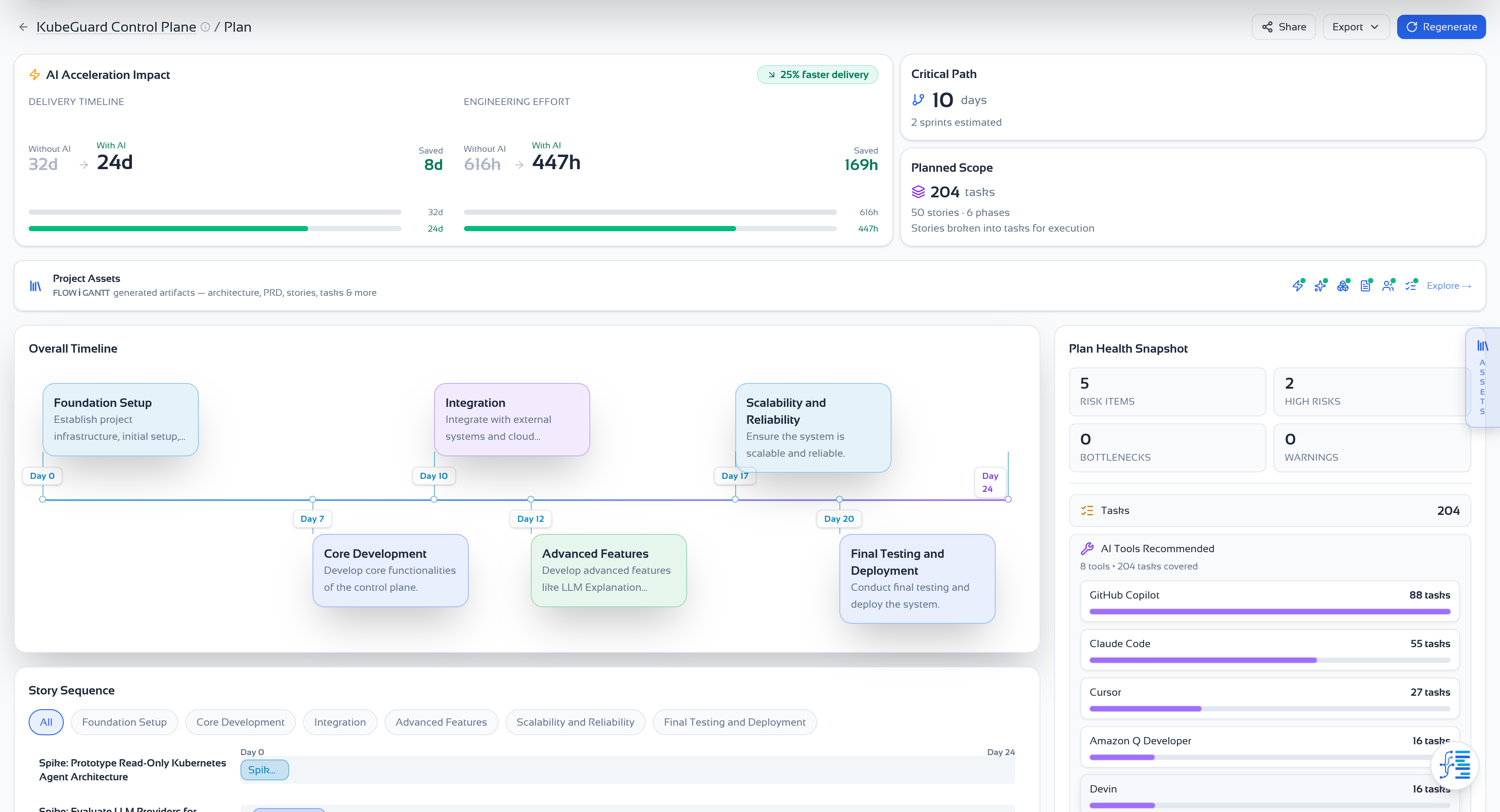
Download a section
Select a section and use the download control to save a .md file to your machine. Repeat for each asset you want in Cursor.
Add context in Cursor
Pick the pattern that fits your repo. Most teams use @ references in chat for day-to-day work, and keep a docs/plan/ copy for permanence.
- Primary: In Cursor chat, type @ and attach your downloaded .md files (architecture, PRD, tasks)
- Repo copy: Add files under docs/plan/ in your project so @docs/plan/architecture.md stays in sync with git
- Rules (optional): Paste a short architecture + constraints summary into .cursor/rules for always-on guardrails — not the full PRD
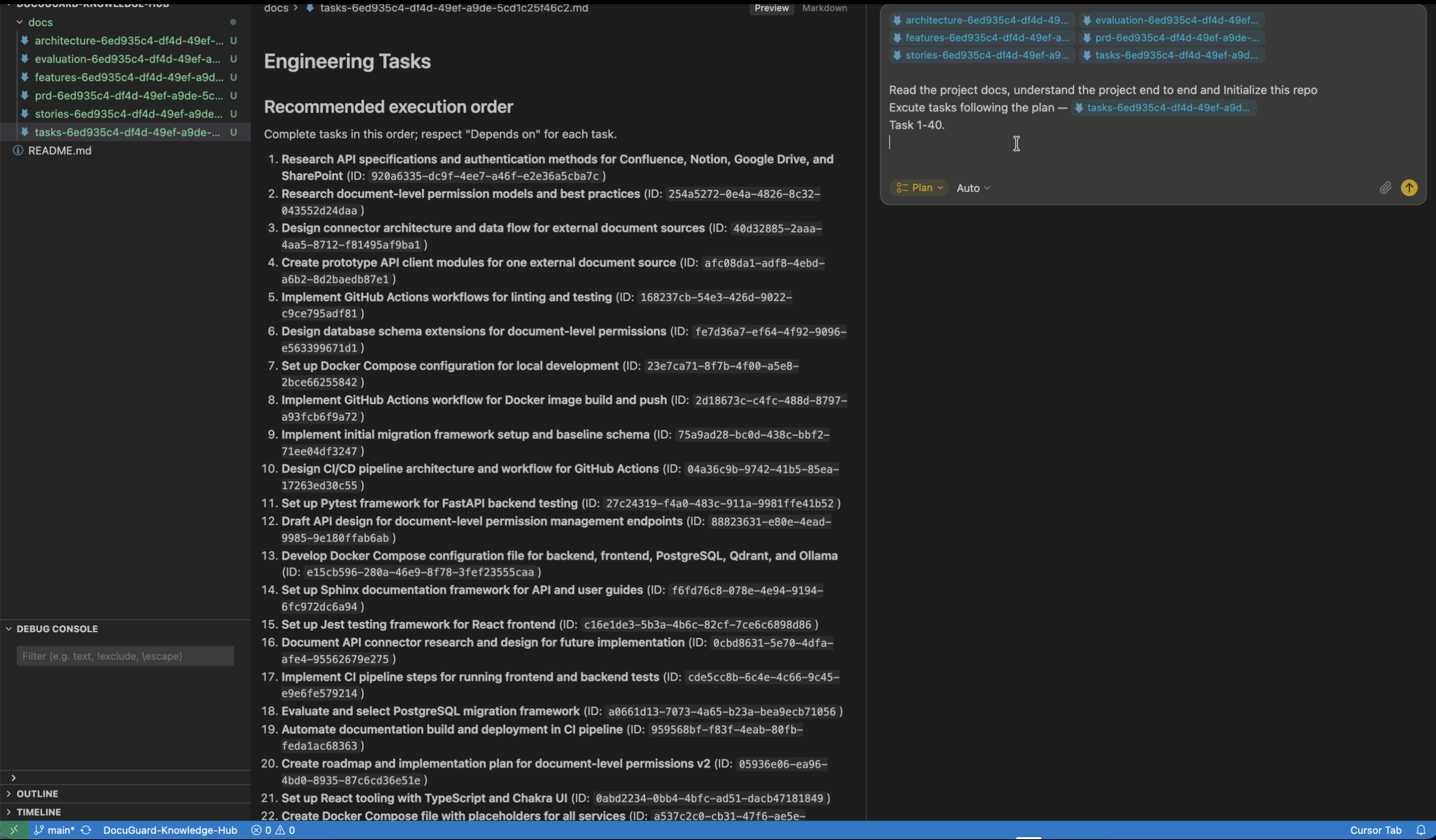
Before vs after: prompt quality
Scenario: Greenfield repo: understand the full plan, initialize the codebase, and execute tasks 1–40
Initialize this repo and start implementing from our backlog. Use best practices.@docs/architecture-{projectId}.md @docs/evaluation-{projectId}.md @docs/features-{projectId}.md @docs/prd-{projectId}.md @docs/stories-{projectId}.md @docs/tasks-{projectId}.mdRead the project docs, understand the project end to end and Initialize this repoExecute tasks following the plan — @docs/tasks-{projectId}.mdTask 1-40.Video walkthrough
Next steps
Generate your own context bundle and try the before/after prompt test on a real task in your codebase.
Recommended file set
- evaluation-{projectId}.md — viability, risks, and discovery Q&A
- features-{projectId}.md — scoped capabilities from evaluation
- architecture-{projectId}.md — components, data model, API contracts, tradeoffs
- prd-{projectId}.md — personas, features, acceptance criteria
- stories-{projectId}.md — user stories linked to architecture and PRD
- tasks-{projectId}.md — engineering microtasks with file hints and AI tool notes