
8 min readBy Sourabh Shukla, Founder
The context problem behind mediocre output
Most AI coding tools are accurate at syntax and local refactors but weak at product direction without context. They can produce technically valid code that violates architecture decisions, introduces duplicate patterns, or misses business constraints.
Why this happens across tools
Cursor, Copilot, and Claude Code optimize from what they can see in-session. If architecture rationale, acceptance criteria, and sequencing are missing, the model predicts an average solution, not your solution.
- No architecture rationale means inconsistent design choices
- No product constraints means incomplete edge-case handling
- No task sequence means rework and brittle implementation paths
Generate a context bundle before coding
Use FLOWiGANTT to produce evaluation, architecture, PRD, and task outputs that stay linked to the same reasoning chain.
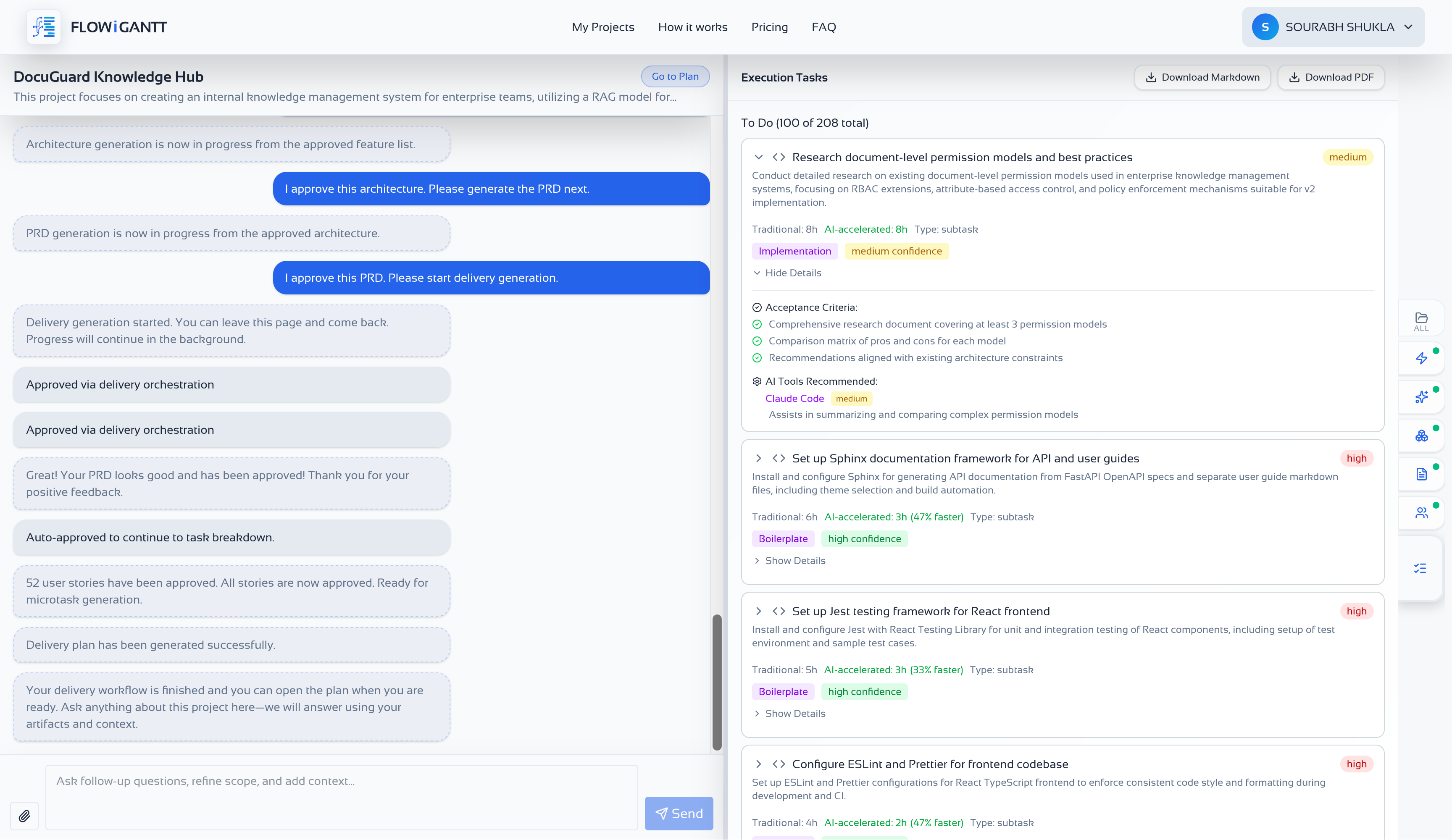
Feed context to your coding tool explicitly
Attach the relevant Markdown files in chat or keep them in docs/plan in your repo. Use the same context pattern regardless of the coding assistant.
- Cursor: attach files with @ references in chat
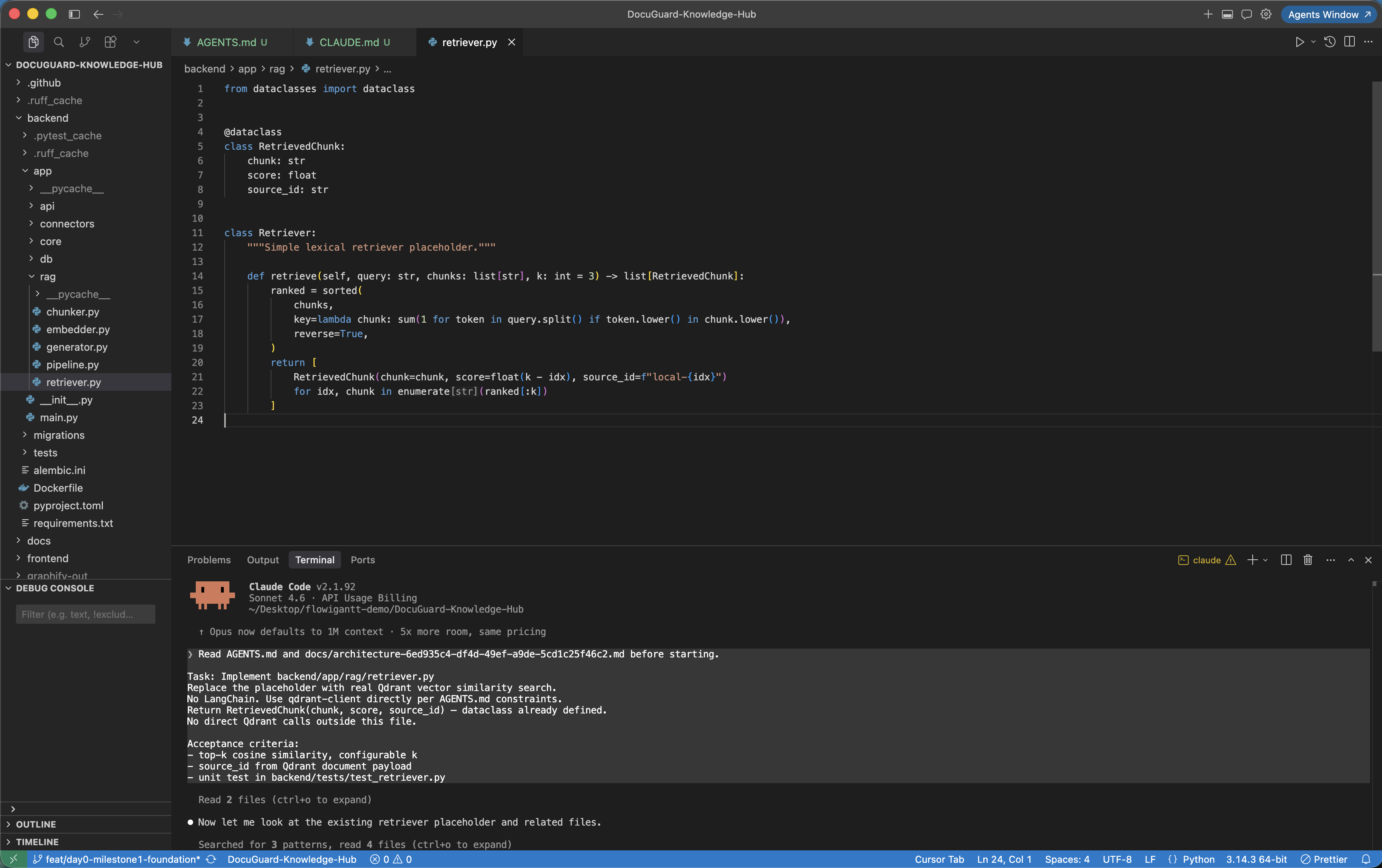
- Claude Code: reference docs/plan plus AGENTS.md or CLAUDE.md
- Copilot workflows: include architecture and PRD context in prompts
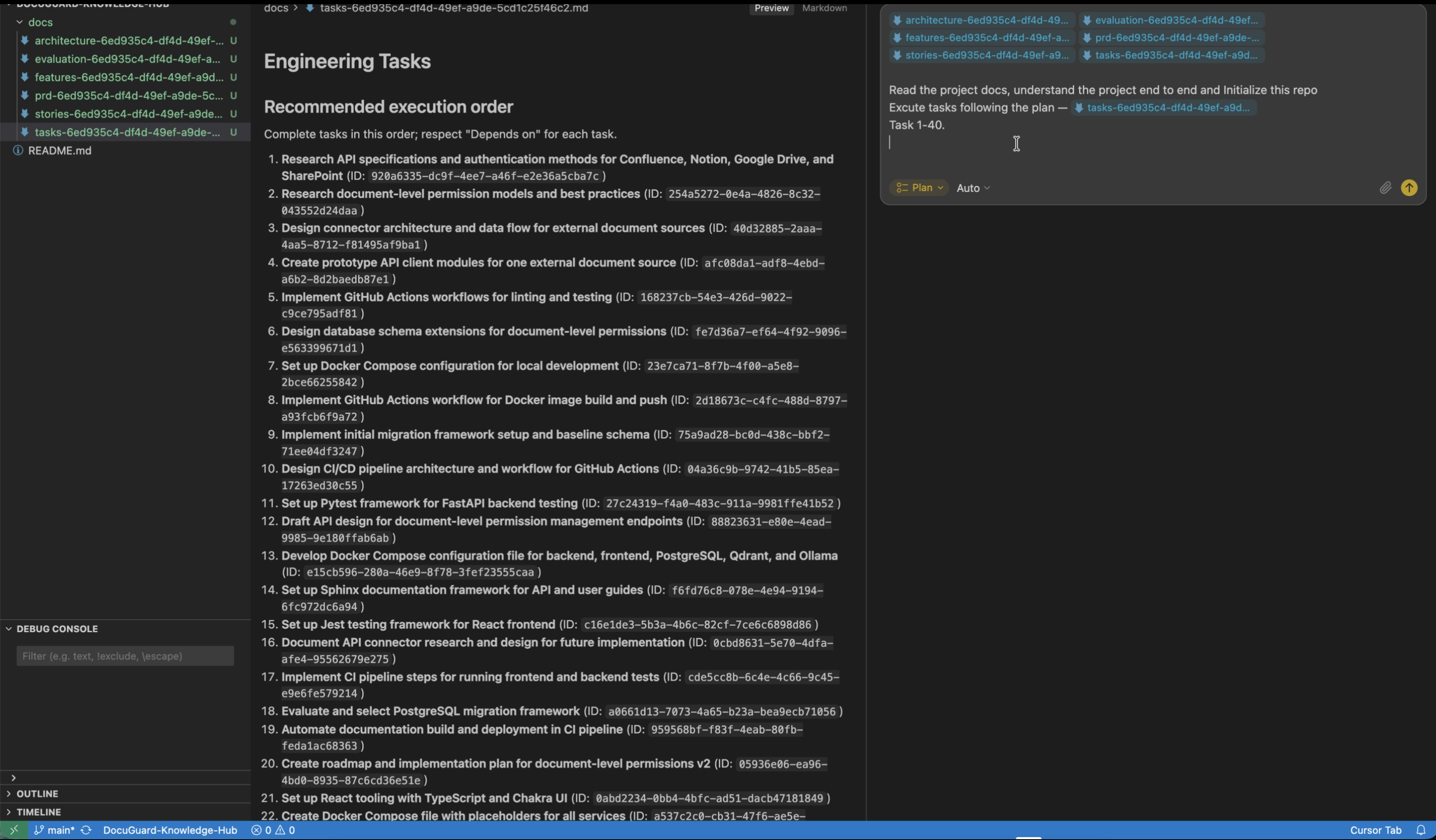
Iterate against acceptance criteria
Ask for output tied to named acceptance criteria from your PRD and verify against architecture constraints before merging.
Before vs after prompt structure
Scenario: Add rate limiting to API endpoints
Add rate limiting to our API with Redis and middleware.Using @architecture-{projectId}.md and @tasks-{projectId}.md:Implement rate limiting according to the API gateway pattern selected in architecture.Apply limits only to public endpoints defined in the PRD.Preserve error payload shape and logging conventions from the existing platform docs.Fix the root cause, not just the prompt wording
Prompt engineering helps, but context engineering is the durable solution. Build once, then reuse the same project intelligence across all your AI coding tools.
- Generate your plan: /#get-started
- How it works
- Claude Code setup guide
Recommended file set
- architecture-{projectId}.md - source of truth for system constraints
- prd-{projectId}.md - defines behavior and acceptance criteria
- tasks-{projectId}.md - implementation scope and sequencing