
10 min readBy Sourabh Shukla, Founder
The problem: Claude Code will make the obvious choice, not your choice
Claude Code is a terminal agent — it reads your repo, reasons across files, and executes multi-step tasks without you directing every move. That autonomy is the point. But autonomy without architectural constraints produces valid code that violates your design decisions. Tell Claude Code to implement a RAG retriever without context and it will reach for LangChain. Every time. Because LangChain is the obvious choice — not because it is your choice.
Cursor vs Claude Code: different context models
With Cursor you @-reference files per conversation. Context is per-session — useful, but you re-explain architecture every time. Claude Code works differently. It reads AGENTS.md automatically at the start of every session. That is the shift: stop re-explaining constraints per task and encode them once so every invocation inherits your architecture. The FLOWiGANTT context bundle is the raw material. AGENTS.md is the distillation.
What FLOWiGANTT gives you for Claude Code
Your plan already contains what AGENTS.md needs: architecture decisions with rationale, hard constraints, technology stack choices, and API contracts. The context bundle exports these as clean Markdown. Your job is to distil the non-negotiables into AGENTS.md and keep the full docs for per-task reference.
- Architecture doc → AGENTS.md constraints and stack boundaries
- PRD → acceptance criteria for task-level prompts
- Tasks file → implementation sequence, file hints, and handoff context
- CLAUDE.md → execution workflow, test expectations, PR format
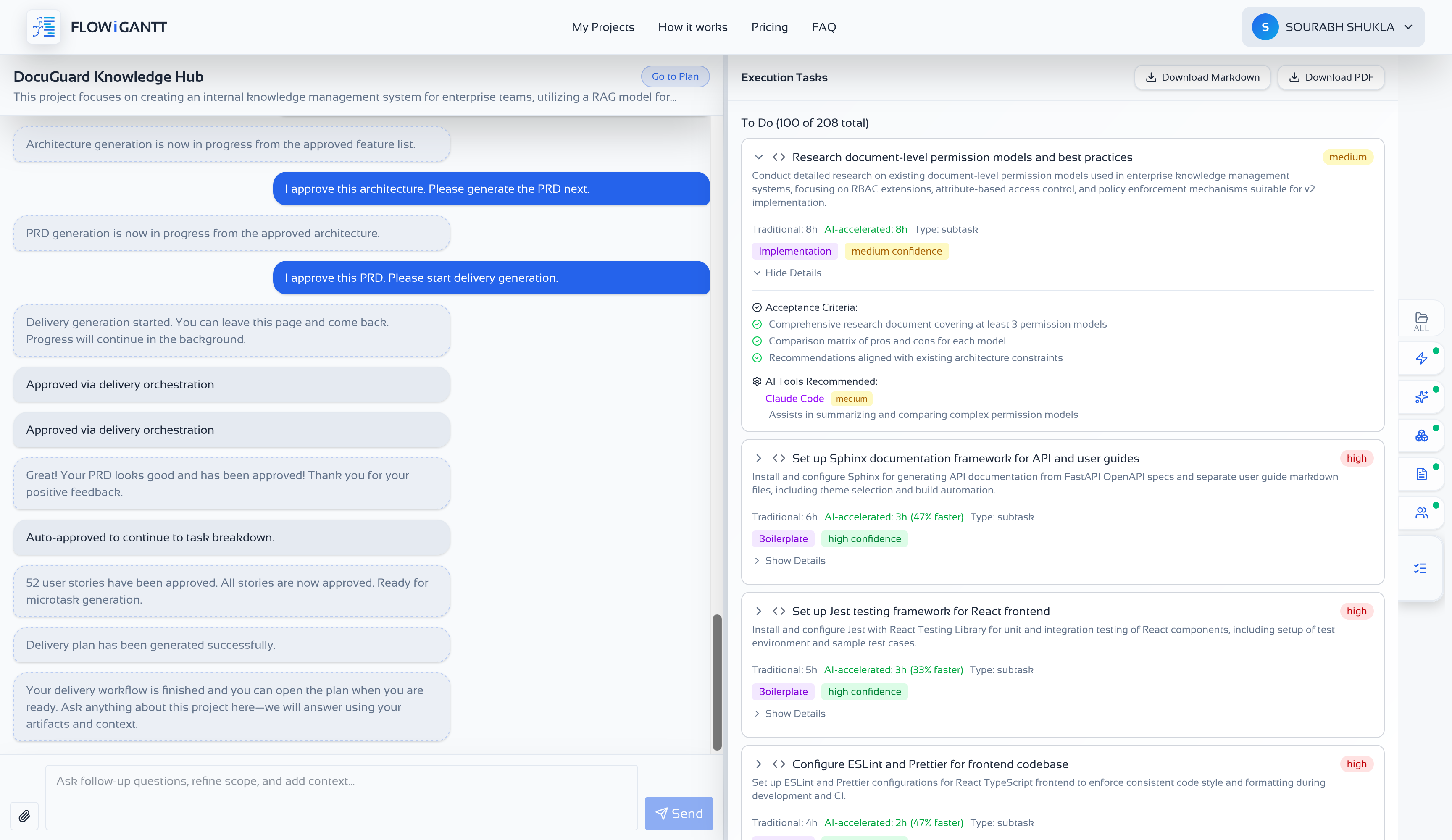
Generate your plan in FLOWiGANTT
Complete evaluation, architecture, PRD, and tasks so your context bundle contains both decisions and delivery detail. The architecture doc is the most important export for Claude Code — it holds the decisions that go directly into AGENTS.md.
Download the context bundle
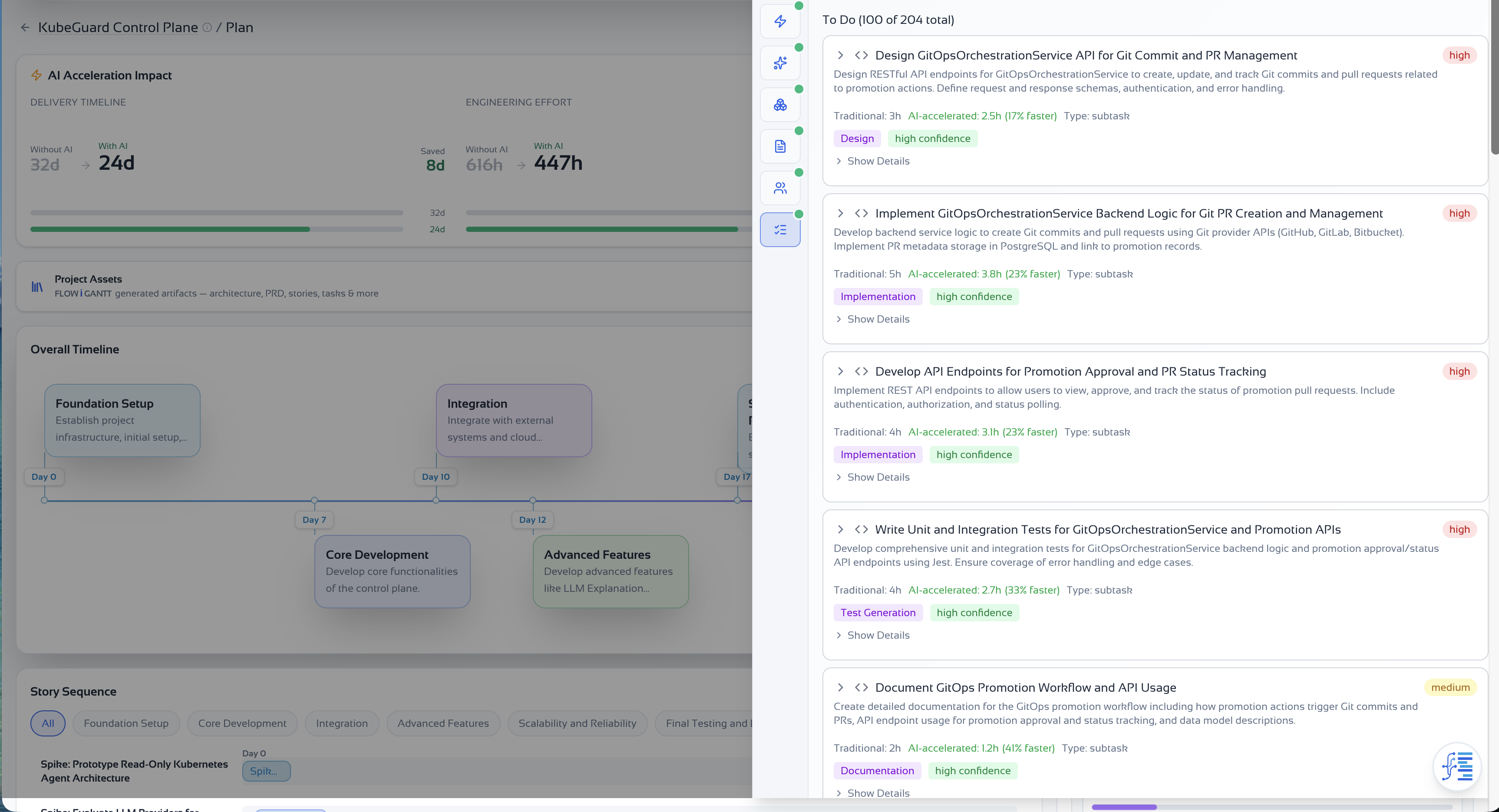
Open the Project assets drawer and export architecture, PRD, and tasks as Markdown. Place them under docs/ in your repo. These become the reference files you point Claude Code to in every task-level prompt.
- docs/architecture-{projectId}.md — the primary source for AGENTS.md content
- docs/prd-{projectId}.md — acceptance criteria for scoped tasks
- docs/tasks-{projectId}.md — implementation sequence with file-level hints
- Commit all three to source control so context stays in sync with your plan
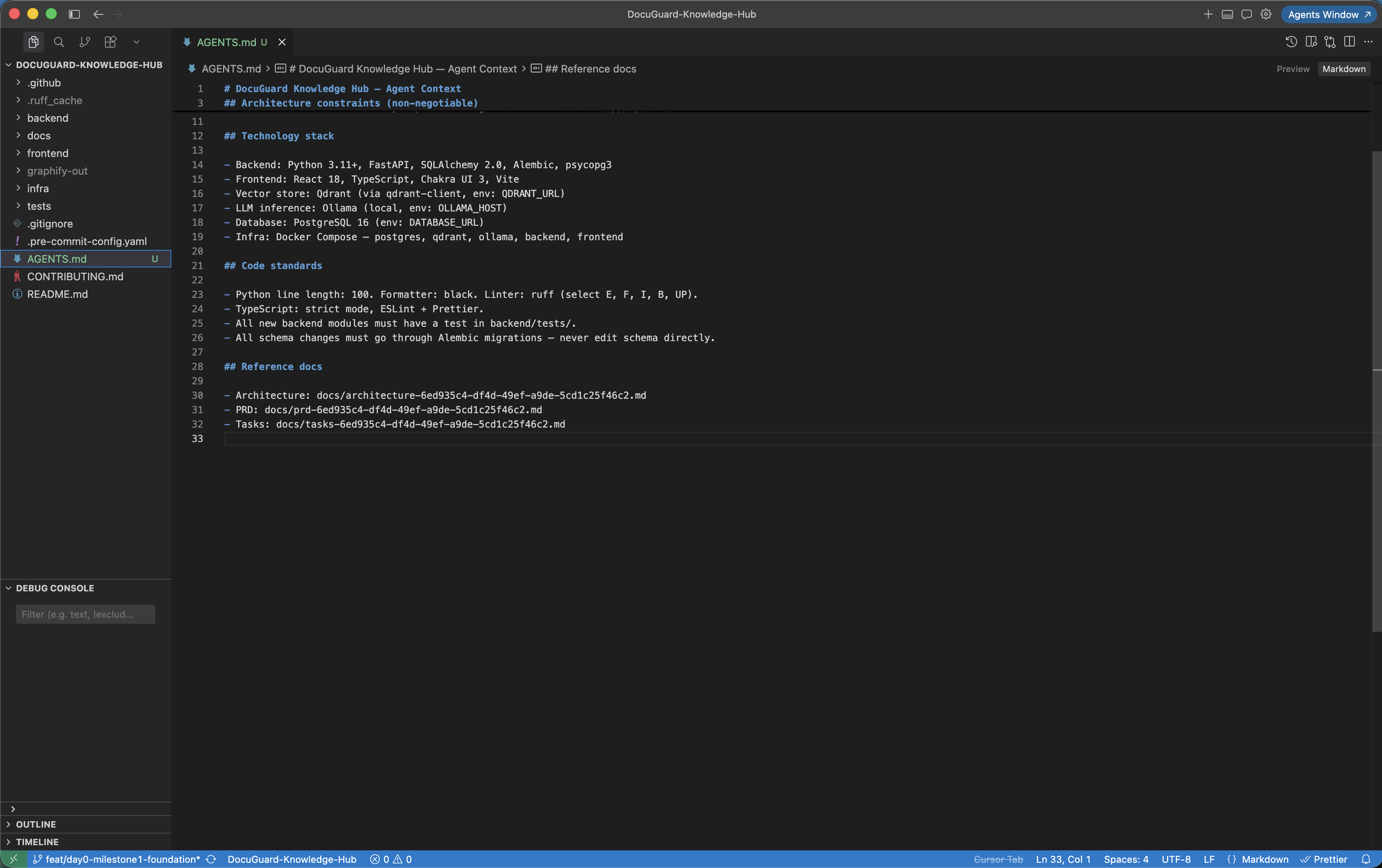
Create AGENTS.md from your architecture doc
Open your downloaded architecture doc and distil the non-negotiables into AGENTS.md at the repo root. Claude Code reads this file automatically before every session — no prompt required. Keep it focused on what must always be true: stack choices, hard constraints, architecture boundaries, and paths to the full context docs.
- Stack section: list every technology in use and why it was chosen — Claude Code will not suggest alternatives it is told to avoid
- Hard constraints: explicit "never do" rules derived from your architecture decisions (e.g. no LangChain, custom pipeline only; no business logic in route handlers)
- Code standards: formatter, linter, line length, test file conventions — copy directly from your architecture doc
- Reference paths: point to the full docs/ context files for per-task detail
- Keep it under 80 lines — AGENTS.md should be a decision record, not a tutorial
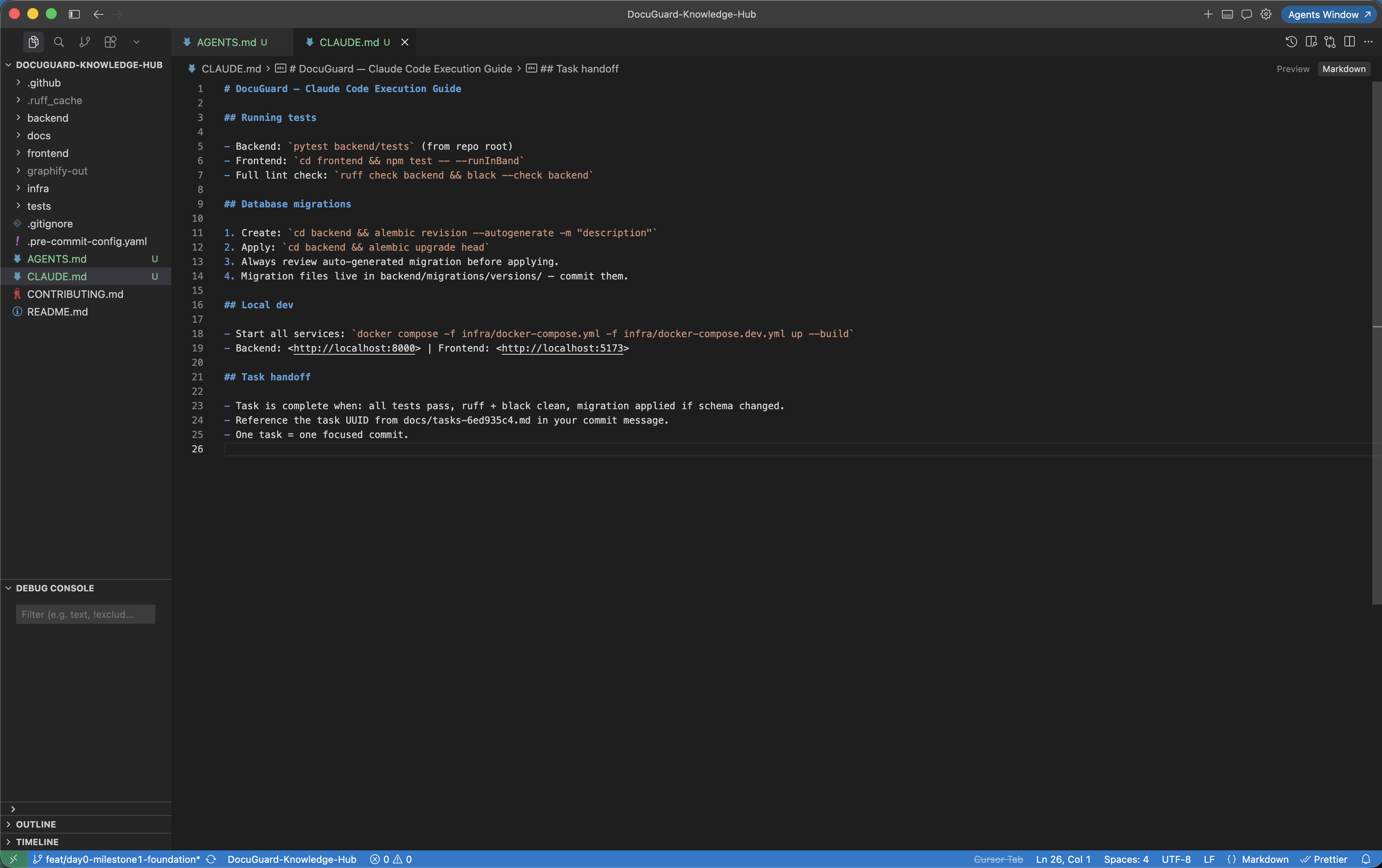
Add CLAUDE.md for execution guidance
CLAUDE.md is separate from AGENTS.md. AGENTS.md handles architectural constraints — what the system is and what must never change. CLAUDE.md handles execution workflow — how to work in this repo. Keep both concise. Claude Code reads CLAUDE.md alongside AGENTS.md, so duplication between the two creates noise.
- How to run tests: exact commands for backend and frontend test suites
- Migration workflow: steps for creating and running Alembic migrations
- Task handoff format: how to mark a task complete and what to check before moving to the next
- PR expectations: branch naming, commit message format, what a reviewable PR includes
Structure task-level prompts
With AGENTS.md and CLAUDE.md in place, each task prompt becomes simple and precise. You no longer re-explain architecture — AGENTS.md already did that. Each prompt should state the task, reference the relevant context docs, and include the acceptance criteria from your tasks file. Claude Code handles the rest.
- Reference the specific task from your tasks file by ID or description
- Point to docs/architecture-{projectId}.md for component boundaries
- Include acceptance criteria directly in the prompt — copy from your tasks file
- Let AGENTS.md carry the constraints — do not repeat them in every task prompt
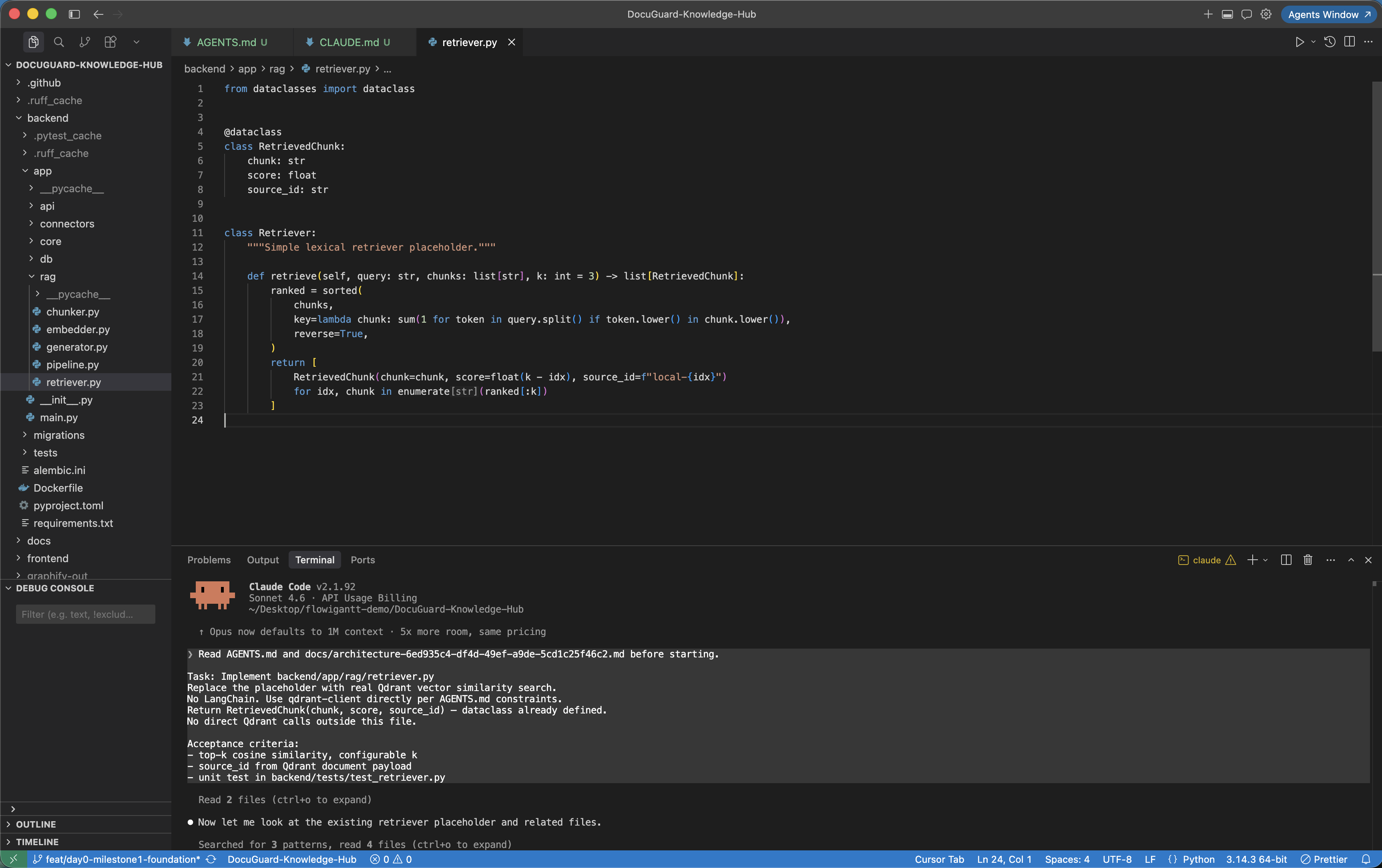
Before vs after: Claude Code with and without AGENTS.md
Scenario: DocuGuard — implement the Qdrant retriever for the custom RAG pipeline
Implement the RAG retriever for DocuGuard's document search. Use best practices for vector search.Read AGENTS.md and docs/architecture-6ed935c4.md before starting.Task: Implement backend/app/rag/retriever.pyVector similarity search using Qdrant — no LangChain.Return RetrievedChunk(chunk, score, source_id) per AGENTS.md contract.No direct Qdrant calls outside app/rag/retriever.py.Acceptance criteria from docs/tasks-6ed935c4.md:- top-k cosine similarity, configurable k- source_id from Qdrant document metadata- unit test: backend/tests/test_retriever.pyNext steps
Start with AGENTS.md. One well-written AGENTS.md will save you more time than any other single setup step — Claude Code will make the right architectural choices on every subsequent task without being told. Keep it updated when your plan evolves.
Recommended file set
- AGENTS.md — distilled constraints from architecture doc, auto-read by Claude Code every session
- CLAUDE.md — execution workflow, test expectations, task handoff format
- docs/architecture-{projectId}.md — system boundaries, API contracts, stack rationale
- docs/prd-{projectId}.md — personas, acceptance criteria, non-functional requirements
- docs/tasks-{projectId}.md — implementation sequence with file hints and AI tool notes